Article
How to Make a CJP DP and Poster That People Actually Share
A practical checklist for creating clean Cockroach Janta Party profile pictures, posters, captions, and share cards without wasting time.
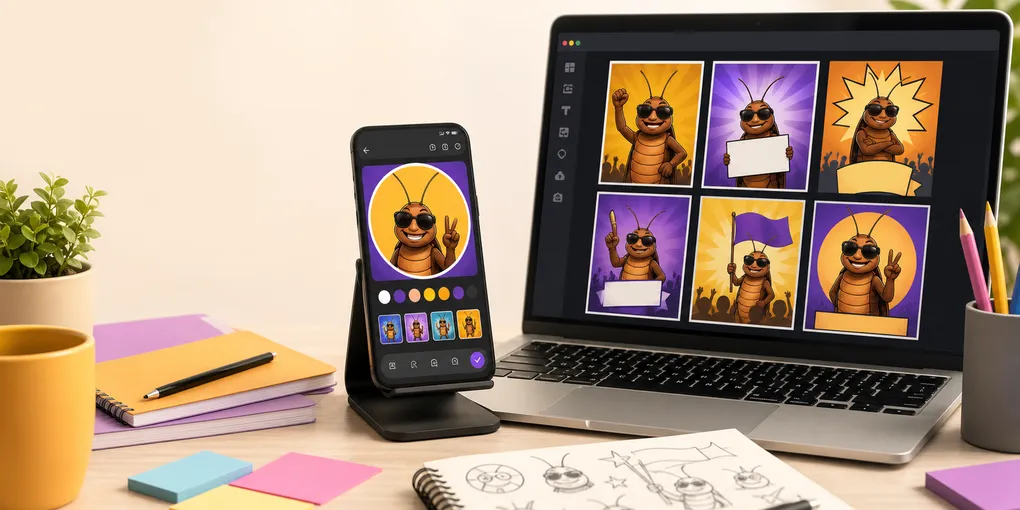
Most CJP posts do not fail because the joke is weak. They fail because the image is hard to read, the caption is too long, or the format looks fine on your phone but messy once it reaches WhatsApp, Instagram, or X.
This guide gives you a simple workflow for making a Cockroach Janta Party DP or poster that is quick to understand, easy to reuse, and ready to share.
Start with the format
Pick the format before you write anything. A profile picture, a poster, and a story image need different amounts of text.
- Use the CJP DP Maker when the goal is identity: a profile picture, group icon, campaign-style badge, or quick avatar.
- Use the Cockroach Janta Party Poster Maker when the goal is an announcement, joke poster, quote card, or shareable graphic.
- Use the CJP followers tracker when you want the post to feel tied to growth, momentum, or community participation.
If you are still explaining the meme to someone, send them the short background first: what is Cockroach Janta Party?
Keep one clear message
A good CJP graphic should work in three seconds. Before opening any maker tool, write one sentence that explains the post.
For example:
- “This DP is for people joining the CJP joke.”
- “This poster announces a funny fake campaign.”
- “This share card explains why the meme is trending.”
Once you have that sentence, remove anything that does not support it. One headline, one visual focus, and one call to action is usually enough.
Make the DP readable at small size
Profile pictures are tiny in chats and comment threads, so treat them like icons.
- Use a simple background with strong contrast.
- Keep the face, symbol, or badge centered.
- Avoid small slogans; they disappear inside circular crops.
- Check the image at thumbnail size before sharing.
- Leave breathing room around the edges so nothing important gets cut off.
If you want a cleaner badge-style result, start from the CJP DP Maker instead of trying to crop a full poster into a profile picture.
Make posters scannable
Posters can carry more detail, but they still need hierarchy. Put the most important line first, then supporting text, then the visual joke.
A useful poster structure is:
- Short headline
- Main graphic or character
- One supporting line
- Small footer or share prompt
This keeps the design clear on mobile screens. If the poster needs more context, link readers to a focused explainer such as Cockroach Janta Party kya hai? instead of squeezing every explanation into the image.
Write captions that help the image spread
The caption should not repeat every word on the poster. Use it to add context, invite replies, or guide the next click.
Try one of these patterns:
- “Made this CJP DP for the group. Which version should we use?”
- “Poster ready. Now someone write the campaign speech.”
- “If you are new to the meme, start here: what is CJP.”
- “Tracking the joke as it grows: CJP followers.”
Short captions leave room for people to add their own comment when they forward the post.
Avoid common mistakes
The fastest way to make a good image look cheap is to overload it.
- Do not use too many fonts.
- Do not place text over busy parts of the image.
- Do not rely on tiny details that only work on desktop.
- Do not use official-looking claims unless you can explain the context.
- Do not impersonate real people, parties, or organizations.
If someone asks whether CJP is real, banned, or official, point them to a context page instead of starting a messy comment thread: is Cockroach Janta Party banned?
The quick publishing checklist
Before sharing, run through this checklist:
- Can someone understand the image in three seconds?
- Does it still work when cropped into a circle?
- Is every line readable on a phone?
- Is there one obvious action for the viewer?
- Are your internal links using the right language prefix?
- Did you save a clean version before posting it to different apps?
For most users, the best flow is simple: create the DP first, make a poster second, then use the blog or explainer pages as links when people need context. You can always start again from the CJP Toolkit blog when you need more ideas.